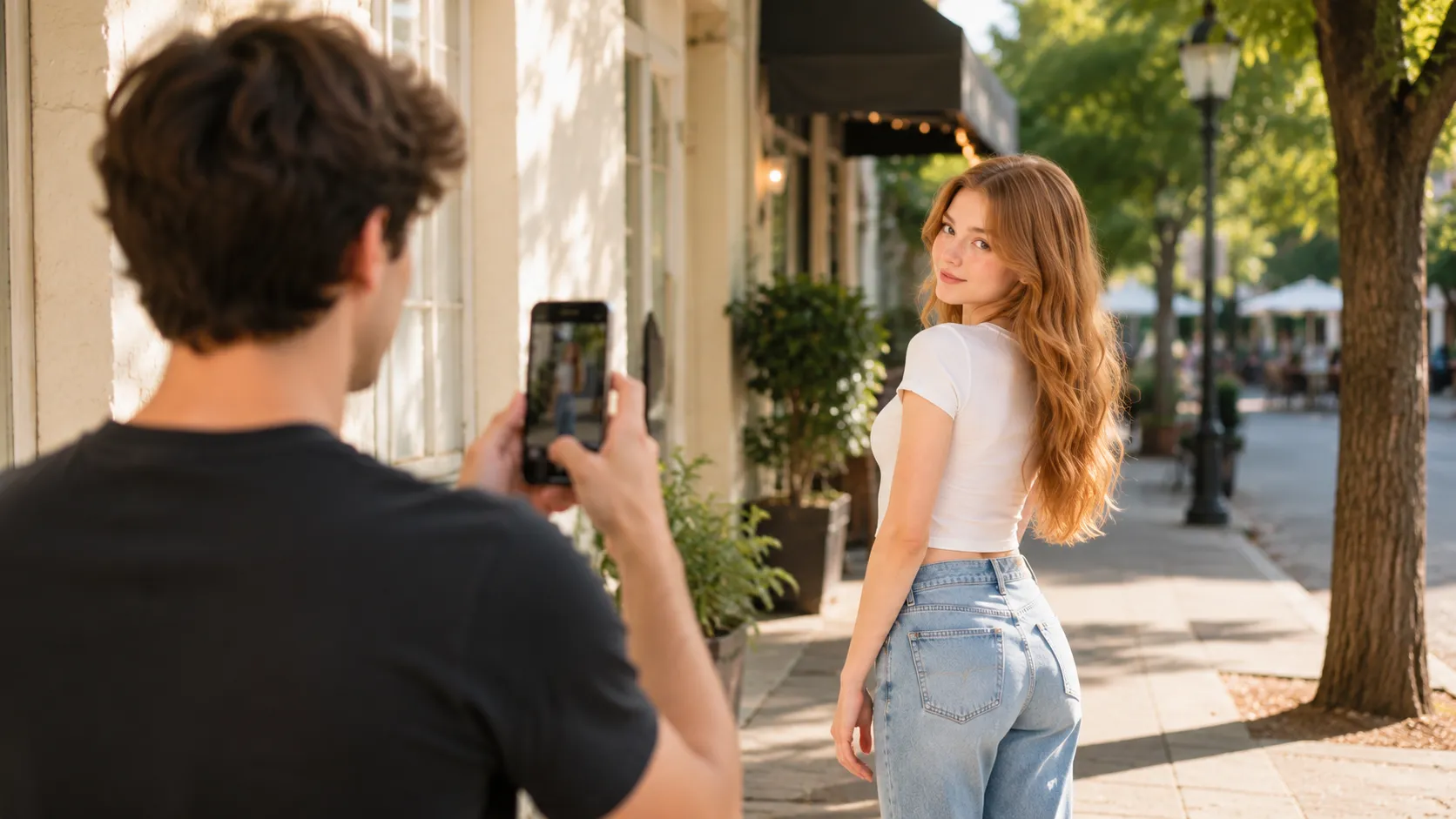
How to Take Full-Body Pictures With Your Phone
Learn how to take better full-body pictures with your phone using simple tips for camera height, distance, framing, poses, and self-timer shots.
By Pajoox Editorial Team · Aug 3, 2026

A full-body photo can look simple until you try to frame one with a phone. The top of the head gets too close to the edge, the shoes disappear, or the background takes over. Sometimes the person keeps changing poses when the real problem is the camera position.
Taking better full-body pictures is less about finding one perfect pose and more about building the shot in the right order. Start with distance, phone height, and a straight frame. Then adjust the person and background.
These steps work for outfit photos, travel pictures, street portraits, and everyday photos taken by a friend.
Step Back Before Changing the Lens
Start with the phone's regular camera and take a few steps back.
Standing too close makes it harder to include the whole person without pointing the phone sharply up or down. It can also leave very little room around the subject.
Move back until you can see:
- the full head
- both feet
- some space above and below
- enough of the location to explain the scene
If space is limited, a wider lens may help, but keep the person away from the far edges of the frame. Wide lenses can make objects near the edges feel stretched.
Start Around Waist or Chest Height
For many full-body pictures, holding the phone around the photographer's waist or chest is a useful starting point.
A phone held too high and tilted downward can make the floor dominate the frame. A very low phone pointed steeply upward may include too much ceiling or sky.
Hold the phone lower than you would for a close portrait, then move it slightly until the person and background feel balanced.
The best height depends on the location. A city street, bedroom mirror, beach, and staircase may each need a different position.
Keep the Phone Straight
Many full-body photos feel unusual because the phone is tilted rather than because the person is standing incorrectly.
Try keeping the back of the phone upright. Move the whole phone higher or lower instead of changing the angle dramatically.
Check vertical lines in the background:
- door frames
- walls
- windows
- lamp posts
- building edges
They can help you notice when the phone is leaning. The frame does not need to be perfectly technical, but a straighter phone usually creates a calmer result.
Leave Space Around the Head and Feet
Before taking the picture, check the top and bottom edges.
Leave a little space above the head and below the feet. Avoid cutting through shoes, ankles, or the top of the hair unless you deliberately want a closer crop.
Do not leave so much space that the person becomes tiny. Take one full-body version, then step closer for a three-quarter or half-body photo.
Turning on the phone's grid can make it easier to notice the frame edges and keep the subject placed consistently.
Use the Background to Frame the Person
A full-body photo includes more environment than a close portrait, so the background matters.
Look for:
- a clean wall
- an open path
- a doorway
- repeating windows
- a section of beach or park
- a street corner with useful depth
Check whether objects appear directly behind the head or cut across the body. Moving the phone one step left or right may simplify the image without changing the pose.
Leave space in the direction the person is walking or looking. This can make the composition feel less crowded.
Try a Simple Full-Body Pose
Once the camera is in position, keep the first pose easy.
Ask the person to:
- Place one foot slightly forward.
- Shift their weight comfortably onto one leg.
- Turn their body a little instead of facing completely straight.
- Relax their shoulders.
- Give one hand a simple task.
A hand can hold a bag strap, adjust a sleeve, rest loosely near a pocket, or hold something already part of the scene.
Take a few frames before adding more instructions.
Add a Small Movement
Movement often works better than asking someone to hold a full-body pose for a long time.
Try:
- walking two or three slow steps
- turning away and looking back
- adjusting a jacket while moving
- sitting down or beginning to stand
- looking to the side, then back toward the camera
The photographer should take several pictures during the action. The most natural frame may appear between the planned positions.
Match the Framing to the Purpose
An outfit photo, travel picture, and profile-style portrait do not need the same composition.
For an outfit photo, keep the clothing and shoes clearly visible and avoid covering key details with hands or bags.
For a travel photo, step farther back and leave room for the landmark, street, or landscape.
For an everyday portrait, choose a simple background and move closer once the full-body version is complete.
Deciding what the picture is meant to show prevents the frame from trying to include everything at once.
Take Full-Body Pictures by Yourself
If you are taking the photo alone, place the phone on a stable surface or tripod in a safe location. Use a timer, remote shutter, or another hands-free camera option available on your phone.
Set the frame before stepping into it. Place a bag or another harmless object where you plan to stand, then check whether the full height and background fit.
When you enter the frame, repeat a small action such as walking, turning, or adjusting a sleeve. Take several attempts rather than trying to hold one exact pose.
Keep the phone within sight, avoid blocking paths, and do not balance it on unstable edges.
Fix the Camera Before Rebuilding the Pose
When a full-body picture does not work, check the setup in this order:
- Is the photographer too close?
- Is the phone too high or too low?
- Is the phone tilted?
- Are the head or feet too close to the edges?
- Is the background distracting?
- Does the person need a small movement?
This prevents the person from trying many new poses while the framing problem stays unchanged.
Find an Angle That Fits the Real Scene
A narrow room, open beach, city sidewalk, and hotel corridor give the photographer different amounts of space.
Before taking the photo, ask:
- How far back can the phone move?
- Which phone height keeps the frame balanced?
- What part of the background should remain visible?
- Would standing, walking, or sitting fit the location?
- Is there a cleaner angle a few steps away?
Pajoox helps you explore phone angles, composition guidance, pose ideas, and visual references based on the real scene in front of you. Instead of applying one full-body setup everywhere, you can start with the available space and find an approach that fits it.
Final Thoughts
Better full-body pictures usually begin with the camera, not the pose.
Step back, start around waist or chest height, keep the phone straight, and check the head and feet before taking the photo. Use the background deliberately, then add one relaxed pose or small movement.
Once the wide frame works, take a medium and closer version. A few thoughtful changes in distance and phone position can create more variety than a long list of complicated poses.